Kinapod Disc — FAQ
What is Kinapod Disc
Kinapod Disc is an iPhone app that turns an AirPod into a throw sensor for a flying disc. Fit one AirPod into a small hole in the centre of your disc and the app measures the spin, revolutions, release speed, and airborne time of every throw, then saves each practice session with per-throw charts.
How do I mount the AirPod
Pierce a small hole in the exact centre of your disc with manicure scissors (or anything sharp) and push one AirPod in stem-first. It won't fall out: piercing stretches the plastic rather than cutting it away, so the hole stays elastic and grips the stem tight. Don't drill the hole: drilling removes material and loosens the fit. The dead-centre position is essential: it keeps spin and speed accurate while the disc rotates.
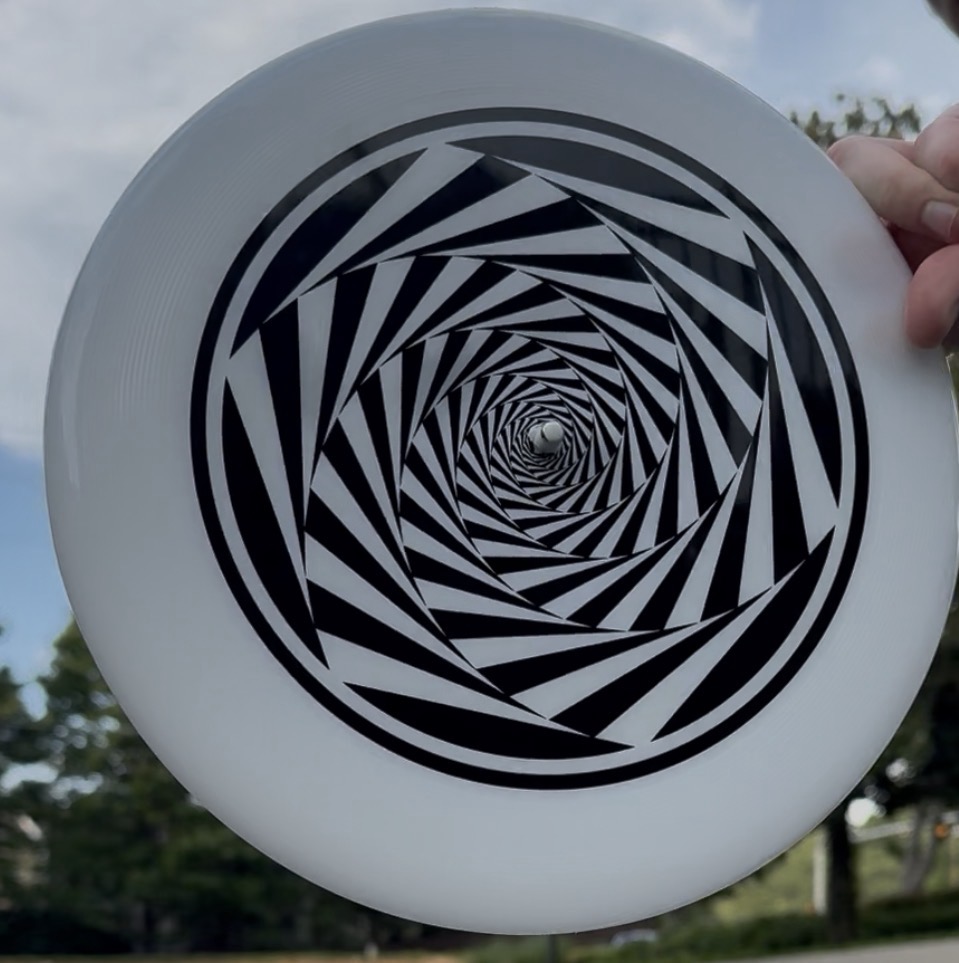
Which devices are supported
Recent iPhone models and AirPods with motion sensors: standard AirPods (3rd generation and newer), AirPods Pro (2019 and newer). AirPods Pro 3 and newer can also record heart rate from the ear; an external Bluetooth heart rate monitor works too.
Do I need a dedicated disc sensor
No. Kinapod Disc uses an AirPod you already own as the in-disc sensor and your iPhone as the recorder. No extra hardware to buy.
Do I have to tap between throws
No. Once you start a session, throws are detected automatically. Just keep throwing: the app finds each one, times the flight, and adds it to your session.
How accurate are the metrics
Spin and revolutions are measured directly from the AirPod's gyroscope and are very reliable. Release speed and airborne time are estimates from motion data and are best used to compare your own throws and track progress over time, rather than as a certified measurement.
What is the voice feedback
Kinapod Disc can speak your stats through your AirPods after each throw, and always calls out a new session or all-time best, so you can practice without looking at your phone. You choose which metrics are announced in Settings, and you can turn it off entirely.
Why does it need “Automatic Ear Detection” turned off
AirPods normally stop streaming motion when they leave your ear. Turning off Automatic Ear Detection in iOS Bluetooth settings keeps the motion stream alive while the pod is mounted on the disc. If the app says it is waiting for motion, play any audio briefly to wake the stream.
Can I export to Strava
Yes. You can connect Strava and upload your sessions. Each session also produces a shareable summary image with per-throw charts.
Do you track my location
No. Kinapod Disc does not use GPS or collect your location.
What data do you collect
By default your throws and sessions stay on your device. You can optionally opt in to share your sessions' anonymous motion data and metrics to help improve the app. This never includes your location, heart rate, audio, or anything that identifies you, and you can turn it off anytime. See the Privacy page for details.
Pricing and availability
Kinapod Disc is available now and free for now on the App Store. Download it here.
How do I get the app or report a bug
Kinapod Disc is free, for now, on the App Store. To report a bug or send feedback, use the contact form at kinapod.com/contact or email contact@kinapod.com. Include your device model and iOS version.